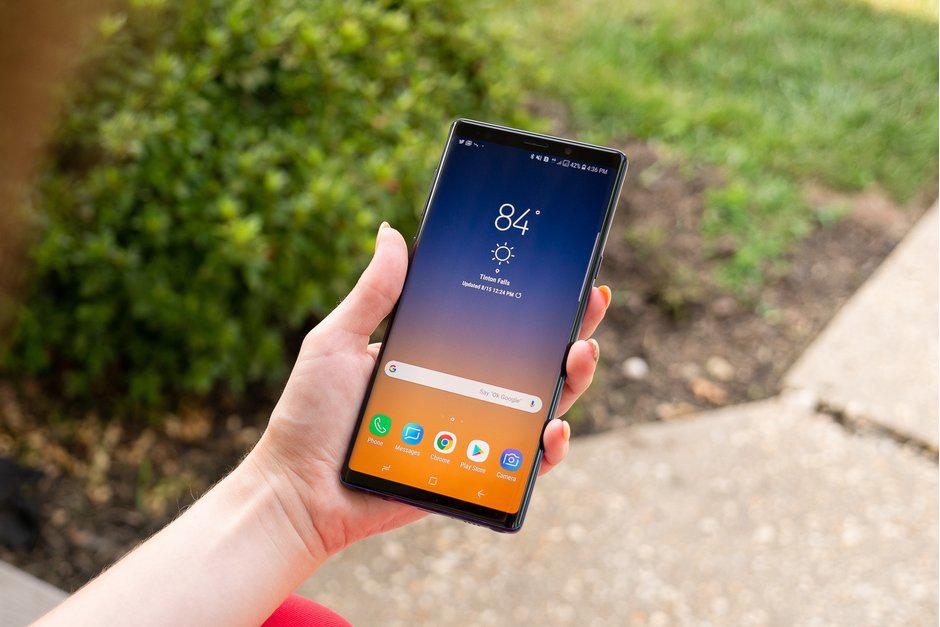
The Samsung Galaxy Note 9 sits at the top of Samsung’s 2018 lineup, and in hardware terms it reads as a Galaxy S9+ taken a step further: much of the same feature set, with the S Pen that stays exclusive to the Note line. This first part of the review covers the design and build, the display, the software and interface, and the Bixby assistant. Performance and battery testing are covered in the second part.
The main draws are the large, bright screen and the S Pen, which now includes Bluetooth so it can act as a remote control for the phone. The Note 9 also supports Samsung DeX over an HDMI cable, which drives an external display for a desktop-style workspace. It is an expensive phone, and its price scales sharply with storage.

Hardware and Specifications
The Note 9 ships in two configurations. The review unit is the 128 GB model with 6 GB of RAM; the higher tier pairs 512 GB of storage with 8 GB of RAM and accepts a 512 GB microSD card, which raises total storage to 1 TB.
| Configuration | RAM | Launch price (USD) |
|---|---|---|
| 128 GB storage | 6 GB | $888.99 |
| 512 GB storage | 8 GB | about $1,300 |
The screen measures 6.4 inches, the largest Samsung had fitted to a phone at the time, and the battery is rated at 4000 mAh, up from the Note 8. On the back sit two 12-megapixel cameras with the dual-aperture hardware carried over from the Galaxy S9+, along with AR Emoji, super-slow-motion video at 960 fps, and AI-assisted scene handling in the camera app. Inside, a carbon-liquid cooling system manages heat during long gaming sessions, and the phone carries stereo speakers. The S Pen adds Bluetooth, so it doubles as a remote trigger for the camera and other functions.
Design and Build
The Note 9 is a large phone, and from the front it is hard to separate from the Note 8; the design carries over with little change. The clearest difference is on the back, where the camera housing is reshaped and the fingerprint sensor now sits below the cameras rather than beside them. The lower position is easier to reach, and the gap between the sensor and the lenses keeps the cameras cleaner in daily use. Fingerprint placement had drawn criticism since the Galaxy S8, and the repositioning here follows the change Samsung began with that model.
Against the S9+, the Note 9 keeps the flatter, more chiseled body of the Note line rather than the S9+’s rounder edges. There is no display notch, which several flagships of the period used.
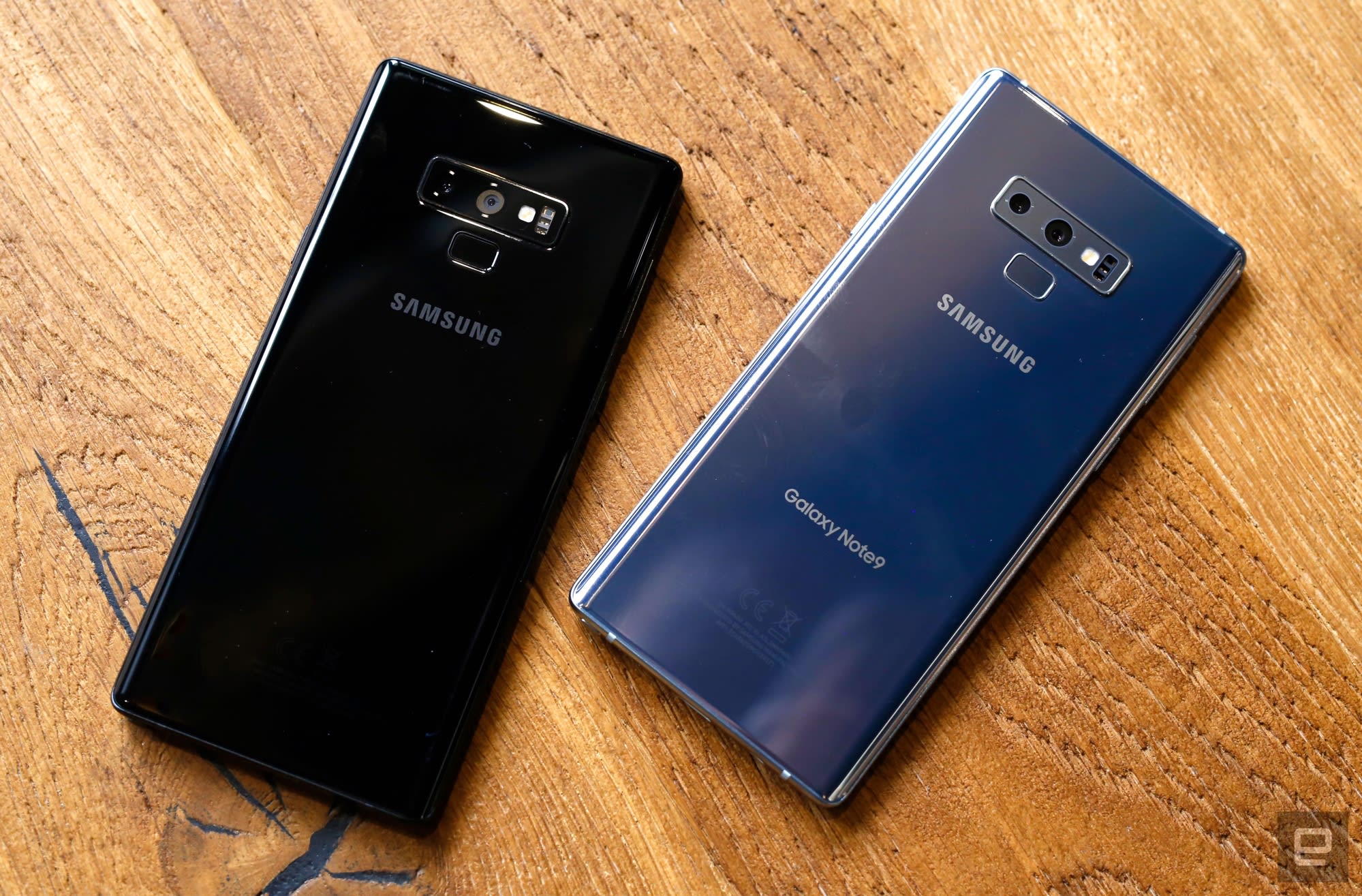
The phone comes in Midnight Black, Lavender Purple, Ocean Blue, and Metallic Copper. The Ocean Blue unit ships with a yellow S Pen, which sets the stylus against the body for a clear contrast.

It measures 161.9 mm tall and 76.4 mm wide, making it slightly shorter and wider than the Note 8, and 8.8 mm thick, slightly thicker than both the Note 8 and the S9+; the curved edges make the extra thickness hard to notice in the hand. The side frame is metal with a matte finish. The Note 9 carries an IP68 rating, which covers water resistance to 1.5 meters for up to 30 minutes, and the S Pen shares the same rating even when removed from the phone.
The ports and buttons are laid out plainly: the microSD and SIM trays sit on the top edge, the volume keys and the Bixby button on the left, the power button on the right, and the 3.5 mm headphone jack, USB-C port, speaker grille, and S Pen silo along the bottom.
Display
The 6.4-inch Super AMOLED panel is the largest screen Samsung had put on a phone at the time. It keeps the 1440×2960 (WQHD+) resolution, which works out to 516 ppi. That is marginally lower than the Note 8’s 521 ppi, because the same pixel count is spread across a larger screen; it is not a sign of a lower-resolution panel.

The display supports HDR10 and covers about 224 percent of the sRGB color space. Peak brightness reaches close to 1000 nits, which keeps the screen readable in direct sunlight. It is an Infinity Display with an 18.5:9 aspect ratio, protected by Corning Gorilla Glass 5, and the screen-to-body ratio is about 83.4 percent.
Although the panel supports WQHD+, the Note 9 starts at Full HD+ out of the box; the resolution can be raised to WQHD+ in the display settings. An Always On Display is included.
Software and Interface

The Note 9 ships with Android 8.1 Oreo, where the Note 8 shipped with Android 7.1.1 Nougat, and it can be updated to Android 9.0 Pie. The interface is Samsung Experience 9.5.
It carries features seen on earlier Samsung phones, including the Game Launcher and the ability to move an app between screens. A long press on an app shows more information, a behavior brought over from the S9+. The Edge panel gives quick access to favorite apps, contacts, and widgets. App Pair, introduced on the Note 8, opens two apps at once in split screen. The navigation bar is adjustable: a double tap opens its settings, and it can be recolored or hidden while an app is open.
Samsung DeX runs from the same software; with an HDMI cable, the phone outputs a desktop-style interface to an external display.
Bixby

Bixby is Samsung’s own assistant. It opens from the dedicated button on the left edge or by saying “Hi, Bixby.” Setup runs through a short training page, during which the wake phrase is repeated five times.
Bixby supports quick commands. A built-in example, “Good Night,” sets the phone to quiet mode, creates an alarm for 8:00 AM, and turns off the Always On Display; these routines can be customized. The assistant’s voice can be set to Julia, Stephanie, or John, though language support is still limited.
In use, Bixby handles basic tasks well: it reports the weather, opens the camera, and reaches the settings menu on command. It sometimes misunderstands a request, and that side still needs work. It also responds from the lock screen for tasks such as opening the camera or answering a weather question, but it refuses commands that would unlock the phone. Bixby Home, reached by swiping right from the home screen, gathers app cards and information in one panel.
Who Is Samsung Galaxy Note 9 For?
The Note 9 fits users who want the S Pen and will use it, now that the stylus adds Bluetooth remote control, and users who want a large 6.4-inch Super AMOLED screen for reading, video, and games. The DeX desktop mode suits users who occasionally want a computer-style workspace from the phone. Users who prefer a compact device will find the Note 9 large, and users who do not need a stylus can meet the same screen and hardware in a smaller Samsung flagship. For note-takers, stylus users, and anyone who values a big, bright display, it is a strong fit.
Bu incelemeyi nasıl hazırladık?
Teknik değerleri güvenilir kaynaktan alır, kendi sözümüzle kurar, kaynağını gösteririz. Ölçülmüş bağımsız test emeğini kendimize mal etmeyiz. Puan vermedik: kanaat, sıralama değil.
İşine uyanı gördüysen, gerisini merak etme — en pahalı değil, sana denk geleni almak en rahatı; kararın da, paran da bereketli olsun.
Okuyucu deneyimleri & sorular
Bu ürünü gerçekten kullananların notları — çoğu zaman incelememizden daha kıymetli. Puan/beğeni yok; işaret güven içindir: neyin faydalı, neyin şüpheli olduğunu topluluk gösterir.
Katkı için yola katıl.
Deneyimini paylaşmak ya da bir soru sormak için üye ol; okumak herkese açık. Emeğin kayıt altında, kıymeti kazanılır.