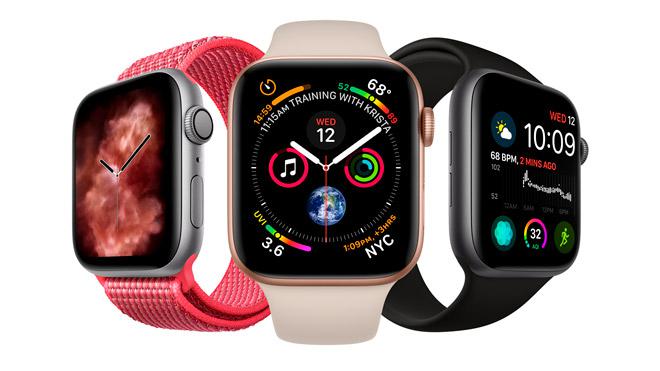
Taking screenshots on smart phones and tablets is an indispensable feature for many users. Did you know that you can also use the same feature on Apple Watch?
Apple’s smart watch brings together a wider screen with Apple Watch, Series 4. And did you know that the device that increases your abilities can also take screenshots by this time? When you see an emergency detail on your watch screen at that moment, it is possible to take a screenshot of the watch directly, so as not to forget later or simply take your phone and pick up the screen. It is quite simple to turn on and use this feature that comes with the new watchOS versions internally.
Save a Screenshot on the Apple Watch Screen
First, you need to make this feature “available”. To do so, in the Watch app on your phone, in the Settings section, just follow the steps to enable screen display. After you enable screen capture, you can now save the screen on your watch.
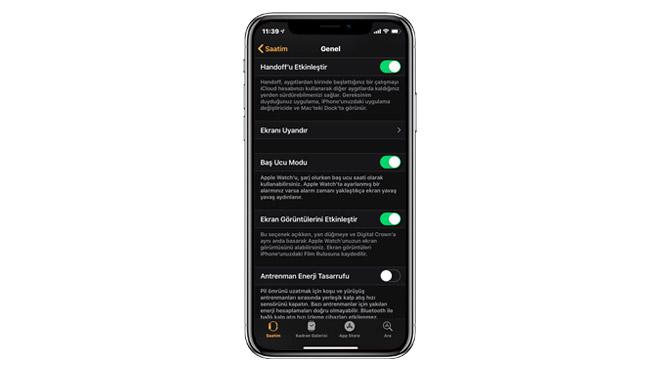
To save the clock screen, you need to press the Digital Crown and the side button just below it. Unfortunately, you cannot manage this screen image over the clock. You will still need a phone to view or share a screenshot saved in the Photos appon your phone. However, you can share with your friends how close you are toyour daily activity goal, your current heart rhythm, or an important notice and similar details in a simple way.
Bu incelemeyi nasıl hazırladık?
Teknik değerleri güvenilir kaynaktan alır, kendi sözümüzle kurar, kaynağını gösteririz. Ölçülmüş bağımsız test emeğini kendimize mal etmeyiz. Puan vermedik: kanaat, sıralama değil.
İşine uyanı gördüysen, gerisini merak etme — en pahalı değil, sana denk geleni almak en rahatı; kararın da, paran da bereketli olsun.
Okuyucu deneyimleri & sorular
Bu ürünü gerçekten kullananların notları — çoğu zaman incelememizden daha kıymetli. Puan/beğeni yok; işaret güven içindir: neyin faydalı, neyin şüpheli olduğunu topluluk gösterir.
Katkı için yola katıl.
Deneyimini paylaşmak ya da bir soru sormak için üye ol; okumak herkese açık. Emeğin kayıt altında, kıymeti kazanılır.