
The Huawei MateBook X Pro sits at the top of Huawei’s laptop line, above models such as the MateBook 13, MateBook D 14 and MateBook D 15. This review covers the MateBook X Pro across its design and display, its internal hardware, the Multi-Screen Collaboration feature that links the laptop to a Huawei phone, battery life and charging, and the smaller touches such as the fingerprint reader, the hidden webcam and the speaker layout.
Design and Display
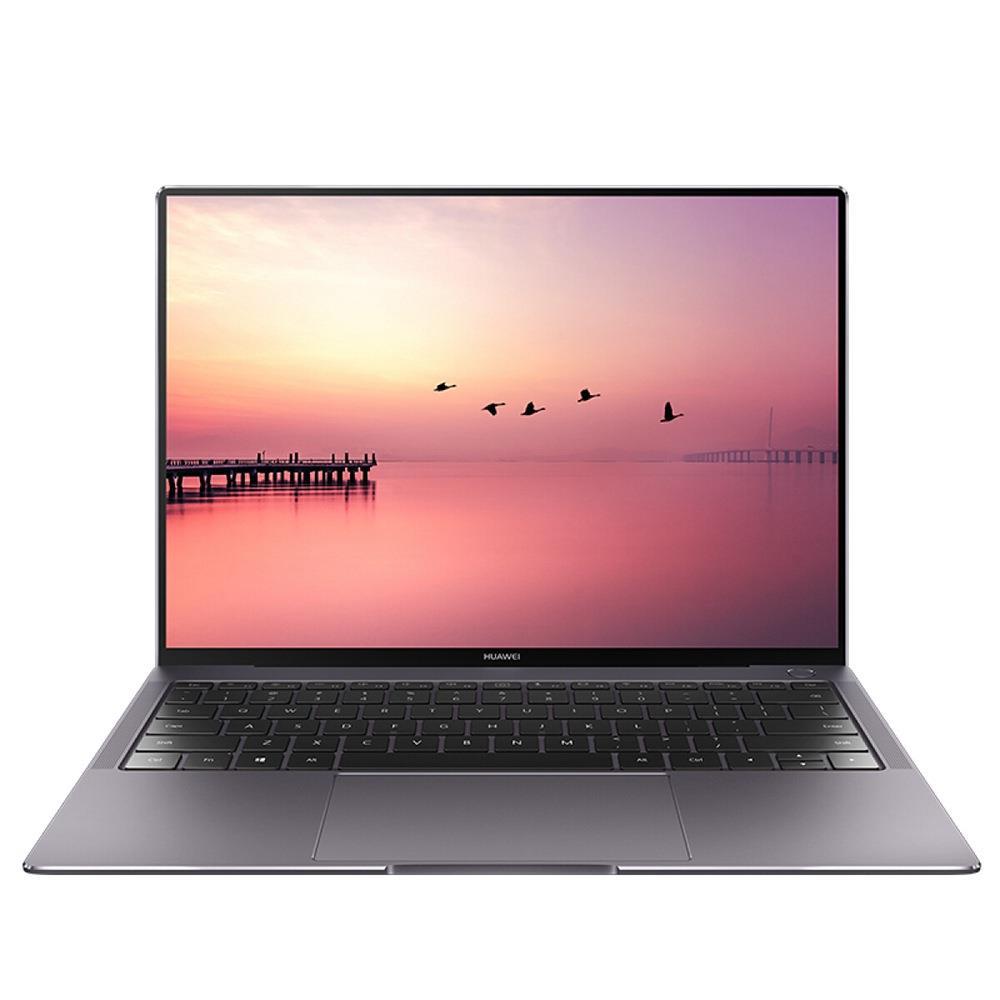
The MateBook X Pro uses a metal body in space gray. It is 14.6 mm thick and weighs 1.33 kilograms, so it slides into a backpack and carries easily by hand.
The display measures 13.9 inches at a 3000×2000 resolution, which Huawei describes as 3K. A frameless design pushes the screen-to-body ratio to 91 percent. The panel covers 100 percent of the sRGB color gamut, reaches a 1500:1 contrast ratio and peaks at 450 nits of brightness. It is also a touchscreen, which suits the compact form for tap-and-swipe use alongside the keyboard and trackpad.
Two design details serve security and privacy. The power button doubles as a fingerprint reader, so a single press both powers on and signs in. The webcam is hidden under a key in the keyboard row and pops up only when that key is pressed, which keeps the camera physically covered when it is not in use.
Performance
The MateBook X Pro runs an Intel Core i7-10510U from the 10th generation, which boosts up to 4.9 GHz. It pairs the processor with 16 GB of RAM and a 1 TB NVMe SSD for storage. Graphics come from a discrete NVIDIA GeForce MX250 with 2 GB of memory. That combination handles multitasking, everyday work and image editing comfortably, and the MX250 supports light gaming; it is less suited to demanding titles that need a full gaming GPU.
Multi-Screen Collaboration
Multi-Screen Collaboration links the laptop to a Huawei smartphone over a wireless connection and mirrors the phone onto one side of the laptop screen. To start it, the user opens the PC Manager application on the laptop, which scans for nearby Huawei devices, and then approves the prompt that appears on the phone.
With the phone on screen, users can run its mobile apps and games directly on the MateBook X Pro. They can send messages, answer incoming calls, and open the phone gallery to browse photos and videos. Files move both ways by drag and drop, from the phone to the laptop or from the laptop to the phone, and the same method copies a selected part of a chat or document across. The feature also appears on the MateBook 13 2020, MateBook D 14 and MateBook D 15.
You may also like: iPad Air: a new, better and cheaper model
Battery and Charging
Huawei rates the MateBook X Pro battery for the following runtimes:
| Activity | Rated battery life |
|---|---|
| Video playback | 13 hours |
| Internet browsing | 11 hours |
| Daily mixed use | 15 hours |
Charging runs over the USB-C port with Huawei SuperCharge, and the bundled adapter is close in size to a smartphone charger, which keeps the travel kit small.
Sound
The MateBook X Pro places speakers on all four sides of the chassis for 360-degree output. Volume is loud for a laptop this size, and the bass is present rather than flat.
Who Is Huawei MateBook X Pro For?
The MateBook X Pro fits users who want a thin, light 14-inch-class laptop with a high-resolution 3K touchscreen and enough power for multitasking, office work and photo editing. It is a natural match for anyone already using a Huawei phone, since Multi-Screen Collaboration brings the phone onto the laptop screen for messages, calls, files and apps. Users who need heavy gaming performance are better served by a machine with a full gaming GPU, but for portable everyday work with strong battery life the MateBook X Pro covers the ground well.
Bu incelemeyi nasıl hazırladık?
Teknik değerleri güvenilir kaynaktan alır, kendi sözümüzle kurar, kaynağını gösteririz. Ölçülmüş bağımsız test emeğini kendimize mal etmeyiz. Puan vermedik: kanaat, sıralama değil.
İşine uyanı gördüysen, gerisini merak etme — en pahalı değil, sana denk geleni almak en rahatı; kararın da, paran da bereketli olsun.
Okuyucu deneyimleri & sorular
Bu ürünü gerçekten kullananların notları — çoğu zaman incelememizden daha kıymetli. Puan/beğeni yok; işaret güven içindir: neyin faydalı, neyin şüpheli olduğunu topluluk gösterir.
Katkı için yola katıl.
Deneyimini paylaşmak ya da bir soru sormak için üye ol; okumak herkese açık. Emeğin kayıt altında, kıymeti kazanılır.