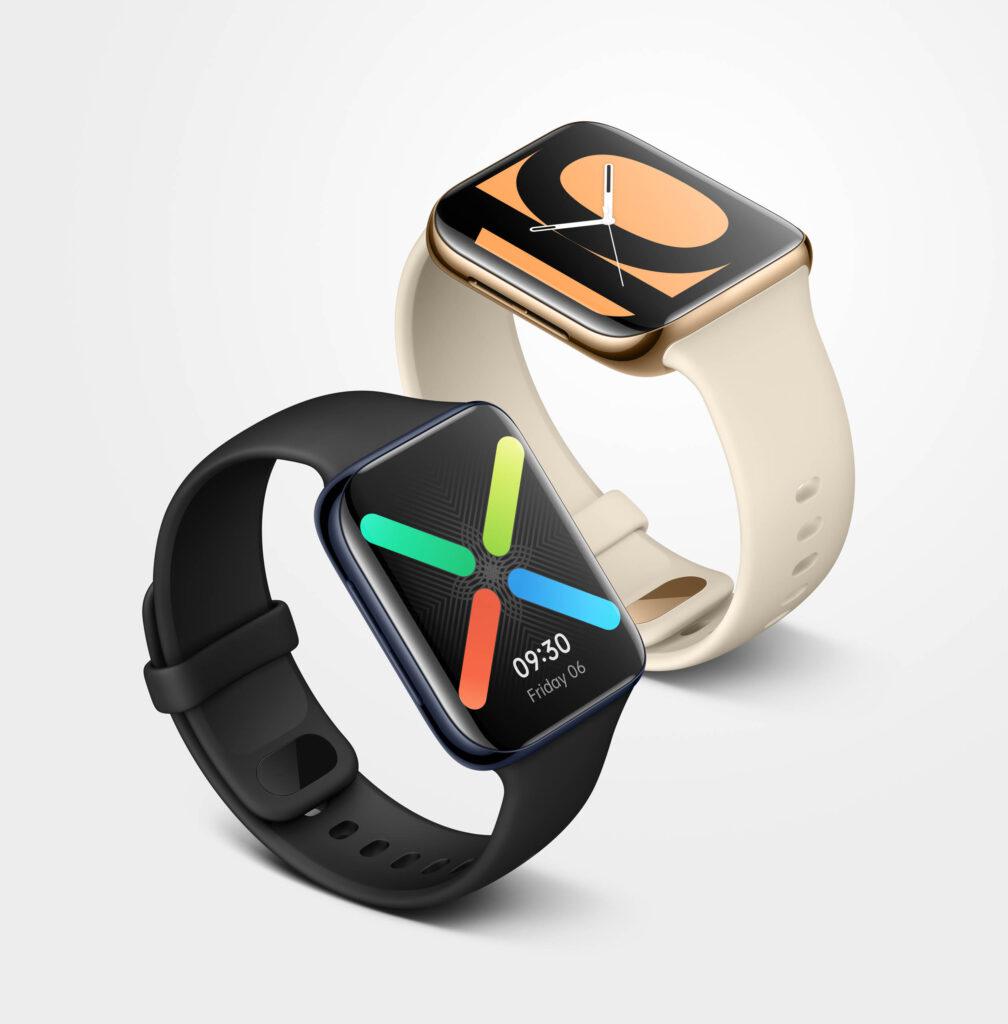
The Oppo Watch is a Wear OS smartwatch built around a curved display that Oppo carries over from its smartphones. It arrives as part of Oppo’s move into accessories, and its shape sets it apart from the flat screens common on other smartwatches. This review covers the Oppo Watch across its design and display, performance, health and fitness tracking, software, and battery, based on several days with the 46mm black model.
Design and Display
The Oppo Watch follows familiar smartwatch design lines, with a squared case that recalls the shape of Apple’s watch. Its own signature is the curved display, which bends toward both sides in the way a smartphone screen does. The curve makes left-to-right and right-to-left swipes feel a little smoother. Whether it affects long-term durability is not something a few days of use can settle.
The Oppo Watch comes in two case sizes, 41mm and 46mm. The 46mm model does not take up much room on the wrist and does not look oversized. Both sizes use a manganese and silicon-added 6000 series aluminum alloy frame. The bezel feels slightly plastic to the touch but reads as solid and clean, and the back is finished in ceramic. At 40 grams, the 46mm version carries a reasonable weight.
Two buttons sit on the right side. One opens the menu; the other is configurable for quick access to a chosen function or app. The lower button is smaller and carries a thin ridge that makes it easy to locate by feel. A microphone sits between the two buttons, with a speaker on the opposite side. Speaker output is adequate for a smartwatch, and the microphone and speaker together handle Google Assistant and phone calls well.
The black model ships with a matching black rubber strap that uses a slightly unusual buckle. It takes a little care to fasten until it becomes familiar. Oppo uses its own strap mechanism, so standard third-party bands do not fit. The upside is that the band detaches easily and clicks back securely.
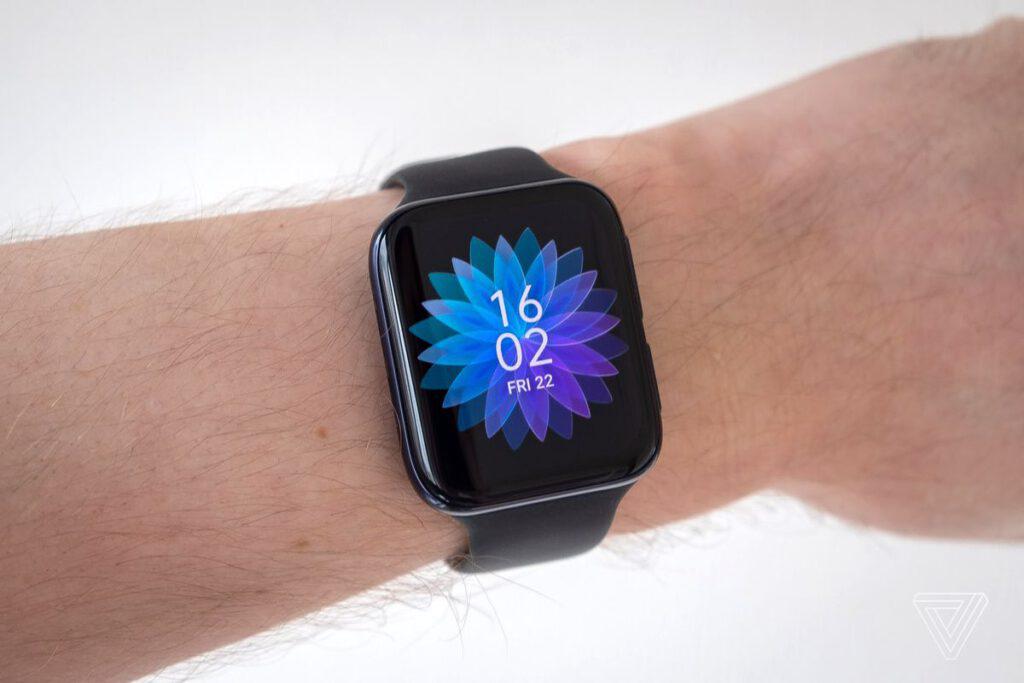
The 41mm version is rated to 3 ATM and the 46mm version to 5 ATM. Oppo lists pool swimming rather than open water. In our sea testing the watch worked without trouble; rinsing off salt water afterward is sensible, and enabling the swimming workout activates the water lock while also recording time in the water.
The display measures 1.91 inches corner to corner, with a resolution of 402 x 476 pixels for a density of 326 ppi. In our tests the AMOLED panel looks sharp and clear for a smartwatch, with high brightness that keeps it readable in direct sunlight, deep blacks, and vivid colors. Navigation is by touchscreen only; there is no rotating crown or other physical scroll control. The surface is smooth and large enough that a fingertip glides across it easily, so swiping through menus feels responsive. On the 46mm model the front is covered by Schott glass. It is worth keeping the watch away from hard objects in a bag, since minor scratches can show up in bright light. The plastic and ceramic back carries the heart rate sensor and the charging contacts.
Performance
The Oppo Watch runs on Qualcomm’s Snapdragon Wear 3100, a chipset made for smartwatches, paired with an Ambiq Apollo 3 co-processor that handles low-power tasks to save battery. Most use runs on the Snapdragon Wear 3100. That platform was two years old by launch, and the Snapdragon Wear 4100 arrived in the first half of 2020, but the 3100 was the current Wear platform when the Oppo Watch was introduced.
Wear OS leans on RAM as much as the chipset, so the 1 GB of RAM matters here. Combined with the Qualcomm platform, it gives the Oppo Watch a fluid, quick feel: touches register promptly, and the screen wakes the moment the wrist lifts, close to the behavior of an ordinary watch. The watch also has 8 GB of storage, which leaves room for apps and music loaded onto the device.
Health and Fitness Tracking
Health and exercise are a focus of the Oppo Watch. A continuous heart rate monitor tracks and records heart rate through the day and sends an alert when it logs an unusual or high value. Built-in GPS lets the watch track outdoor runs and walks on its own, without a connected phone.
For workouts, users can draw on both Google’s tools through Wear OS and Oppo’s own apps. Google Fit brings a wide set of activity-tracking options and records a broad range of sports, from horseback riding to frisbee.
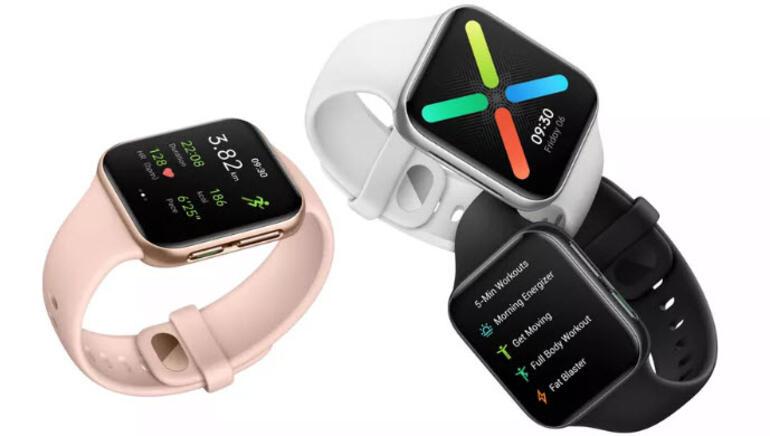
Oppo also includes a five-minute exercises app with five routines: Morning Energy Exercise, Get Active, Full Body Exercise, Fat Burner, and Before Sleep. On-screen videos guide each movement, so the app works well for users who are unsure which exercises to do and want a simple prompt to follow. It turns the watch into a basic guided trainer.
The heart rate monitor and pedometer are accurate. There is a gap compared with dedicated fitness devices, but the readings stay close to the mark. Sleep tracking shows light and deep sleep intervals and measures them well, though it only records between 8 pm and 10 am. Users can also answer incoming calls from the wrist; the speaker is loud enough to hear the other side and the microphone carries the voice back clearly. It is not suited to long calls, but short ones come through without problems.
Software and Apps
Oppo brings the same Color OS customizations to the watch that it uses on its phones, which makes the interface feel more considered. The notification panel, pulled down from the top of the watch face, carries the color scheme and fonts from Oppo’s phones. The app menu, opened with the upper right button, arranges icons in a 3 x 3 grid rather than a list; the icons have no labels, but their shapes make each app easy to recognize.
As a Wear OS device, the Oppo Watch installs smartwatch apps from the Google Play Store through the built-in Play app, and it downloads watch faces the same way. Oppo supplies its own faces as well, which can be added or changed through the HeyTap Health app. The watch also controls media on a connected phone: for a YouTube video or a Spotify track, users can pause, resume, skip, and adjust volume from the wrist without touching the phone.
Battery
The 46mm model holds a 430 mAh battery that lasts about a day at normal intensity. With light use, mostly checking the time and notifications, Oppo puts the figure at up to 36 hours. In practice the watch needs charging most nights.
A Power Saving mode extends runtime, and Oppo claims up to 20 days with it enabled; we did not have enough time to confirm that figure. The mode also switches on automatically once the battery drops below a set level, which stretches use a little further. In this state the screen shows only time, step count, heart rate, and simple notifications.
Oppo’s VOOC Flash charging speeds refills, filling the watch in under an hour with the VOOC-capable adapter connected to the watch’s dedicated charging accessory from the box. The 41mm model uses a smaller 300 mAh battery, so its runtime is somewhat shorter, though the smaller screen also reduces the power draw.
Who Is Oppo Watch For?
The Oppo Watch suits users who want a Wear OS smartwatch centered on health and daily activity. The continuous heart rate monitor, pedometer, GPS, and sleep tracking work reliably, and the five-minute guided workouts help users who want a nudge to get moving. The curved AMOLED display is a strong fit for those who value a bright, vivid screen, and the Color OS touches make the interface pleasant to navigate by touch. Battery is the main trade-off: heavy use rarely clears a full morning-to-night day, so the watch fits best where a nightly charge is easy to keep up, aided by VOOC fast charging and the Power Saving mode when longer stretches are needed.
Bu incelemeyi nasıl hazırladık?
Teknik değerleri güvenilir kaynaktan alır, kendi sözümüzle kurar, kaynağını gösteririz. Ölçülmüş bağımsız test emeğini kendimize mal etmeyiz. Puan vermedik: kanaat, sıralama değil.
İşine uyanı gördüysen, gerisini merak etme — en pahalı değil, sana denk geleni almak en rahatı; kararın da, paran da bereketli olsun.
Okuyucu deneyimleri & sorular
Bu ürünü gerçekten kullananların notları — çoğu zaman incelememizden daha kıymetli. Puan/beğeni yok; işaret güven içindir: neyin faydalı, neyin şüpheli olduğunu topluluk gösterir.
Katkı için yola katıl.
Deneyimini paylaşmak ya da bir soru sormak için üye ol; okumak herkese açık. Emeğin kayıt altında, kıymeti kazanılır.