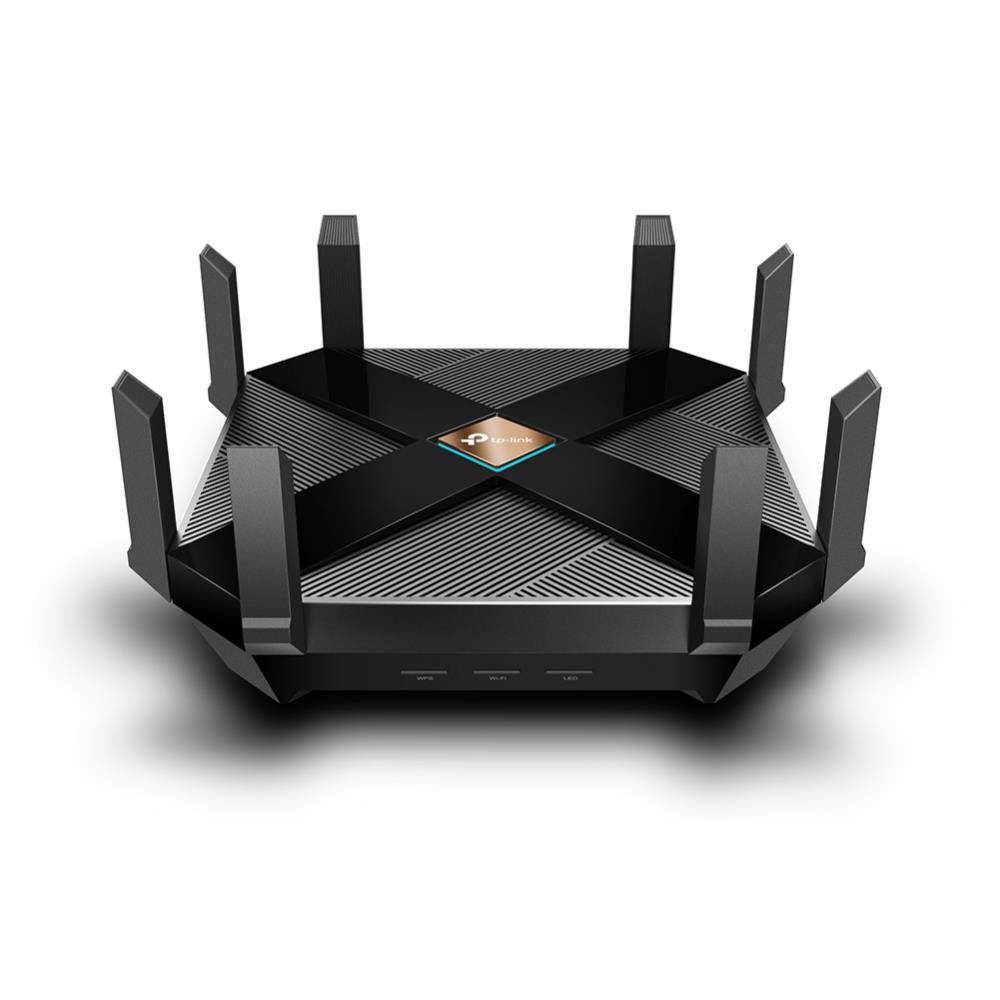

The TP-Link Archer AX6000 is a Wi-Fi 6 router, built around the 802.11ax standard. As Wi-Fi 6 hardware spreads from brand to brand, devices like this one are the way most homes get access to it. Here we take a closer look at what the Archer AX6000 offers.
Design
The Archer AX6000 is a large device with eight external antennas, a piano-black body and a machined design. The size will not suit everyone, but it serves a purpose: it houses the hardware and provides the cooling that hardware needs. The back of the unit is where the layout shows its intent, with a dense set of ports.
TP-Link Archer AX6000 Gigabit Ethernet Ports
Connectivity includes 8 Gigabit Ethernet ports and a 2.5 Gbps WAN port. That WAN port lets the router take full advantage of internet access above 1 Gbps, so it is ready for speeds that are not yet available in many places.
The hardware matches the appearance. The Archer AX6000 runs on a 64-bit, quad-core processor clocked at 1.8 GHz with 1 GB of RAM, giving it enough headroom for handling multiple operations at once.
If you are looking for a phone you can read our OPPO A91 review: https://www.techblimp.com/2020/09/19/oppo-a91-review/
AX6000 Features
The Archer AX6000 supports the 802.11ax standard. Wi-Fi 6 has been around for a while and is gradually appearing in devices, particularly in recent high-end smartphones. To use it you need a modem or router with 802.11ax support. This router also supports Wi-Fi 5 and older devices, so backward compatibility is covered.
In terms of performance, 802.11ax offers a significant speed increase over 802.11ac (Wi-Fi 5). On this device that translates to 4804 Mbps in the 5 GHz band, which TP-Link rates as 2.7 times higher, and 1148 Mbps in the 2.4 GHz band, rated as 1.9 times higher.
The Archer AX6000 also supports 160 MHz channel width, automatic band steering, MU-MIMO data streaming and beamforming, which directs the signal toward the client. Together these make it well suited to setups with high data flow, such as streaming and expanding smart-home use.

How to Setup TP-Link Archer AX6000?
Setup is straightforward, as with other TP-Link devices. It runs through the Tether app, available for both iOS and Android; a phone is all you need. The app connects to the router over Bluetooth and walks you through setup in a few steps.
Most settings are configured from the app, covering security, parental controls, guest network and antivirus configuration.
In Brief
The Archer AX6000 pairs strong wireless support with wired connectivity. Its 8 Gigabit Ethernet ports allow a wide wired network at home, USB ports add device sharing, and the software support rounds out the package. Setup and daily use are easy.
The main trade-off is size: it is large and imposing, so anyone after a minimalist design should look elsewhere. It fits users with high networking demands rather than the average home.
Bu incelemeyi nasıl hazırladık?
Teknik değerleri güvenilir kaynaktan alır, kendi sözümüzle kurar, kaynağını gösteririz. Ölçülmüş bağımsız test emeğini kendimize mal etmeyiz. Puan vermedik: kanaat, sıralama değil.
İşine uyanı gördüysen, gerisini merak etme — en pahalı değil, sana denk geleni almak en rahatı; kararın da, paran da bereketli olsun.
Okuyucu deneyimleri & sorular
Bu ürünü gerçekten kullananların notları — çoğu zaman incelememizden daha kıymetli. Puan/beğeni yok; işaret güven içindir: neyin faydalı, neyin şüpheli olduğunu topluluk gösterir.
Katkı için yola katıl.
Deneyimini paylaşmak ya da bir soru sormak için üye ol; okumak herkese açık. Emeğin kayıt altında, kıymeti kazanılır.