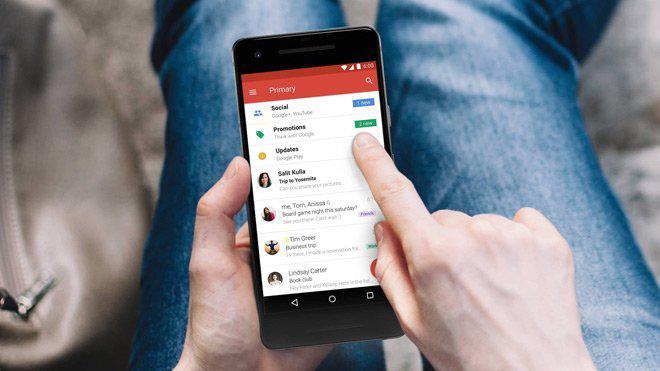
If you are persistent about the security of your email on Gmail, consider disabling apps that can access your email.
Today, when the e-mail service is called, the first Gmail comes to mind. But Google has been having a hard time lately because of the Gmail service. We’ve already shared the claim that emails in Gmail have been read by non-Google apps that have allowed access to your account. On the allegations, Google underlined that the users owed it and that there was no situation to be feared. According to Google’s description, apps that require access to their Gmail account are reviewed by Google based on a number of basic benchmarks, and apps that Google finds suspicious cannot get the necessary permission. But for users who don’t feel comfortable, Google also suggests an alternative solution. Applications that have access to their email accounts in the account settings can be removed one at a while if requested. If you want to try this alternative method, you can accomplish this by following a few steps we will demonstrate.
Doing This Completely Interrupt the Application’s Access
To view non-Google apps that can access your email account, you first need to log in to your account with a desktop browser. Once logged in, you’ll need to click on the “Apps with access to account” section under the “Sign-in and Security” column on the main screen that comes up. In the next step, you can see all the apps that have access to your Google account and your website passwords that you’ve saved through Chrome or any Android device.
Here you can remove the app you want from your account by clicking on the “Manage Apps” button and then selecting the corresponding app from the app list. To do this, simply confirm the process with the “Remove Access” button.
That’s all there is to it. But if you’re a little relieved, we have some bad news. You will not be able to integrate any applications that you have removed from your account. I mean, if an app can’t just access your emails but you want it to upload files to your Drive, it’s unfortunate. To do this, you need to choose the applications that you want to remove access to. At this point, there is no problem accessing your Google account of known Dev services because the related services take their security as seriously as Google does. If they claim to be safe from our recommendation, do not rush to connect the newly established small services to your account.
Bu incelemeyi nasıl hazırladık?
Teknik değerleri güvenilir kaynaktan alır, kendi sözümüzle kurar, kaynağını gösteririz. Ölçülmüş bağımsız test emeğini kendimize mal etmeyiz. Puan vermedik: kanaat, sıralama değil.
İşine uyanı gördüysen, gerisini merak etme — en pahalı değil, sana denk geleni almak en rahatı; kararın da, paran da bereketli olsun.
Okuyucu deneyimleri & sorular
Bu ürünü gerçekten kullananların notları — çoğu zaman incelememizden daha kıymetli. Puan/beğeni yok; işaret güven içindir: neyin faydalı, neyin şüpheli olduğunu topluluk gösterir.
Katkı için yola katıl.
Deneyimini paylaşmak ya da bir soru sormak için üye ol; okumak herkese açık. Emeğin kayıt altında, kıymeti kazanılır.